Atmos
Modular UI Enhancements for World of Warcraft
A lightweight addon suite designed to simplify, enhance, and personalize your gameplay.
Download on CurseForge
Blacklist
Keep troublemakers out of your game for good.
- Block players by player ID, not just name.
- Ships with a curated list of known offenders.
- Bypasses Blizzard's small default ignore limit.
- Movable via Atmos Edit Mode.
Perfect for avoiding gambling spam, griefers, and repeat offenders across name changes.
Dungeon Helper
See every dungeon quest before you step inside.
- Lists dungeon quests and their breadcrumb / lead-in chains.
- Shows status: completed, in progress, or missing.
- Helps you prepare and avoid wasted runs.
Ideal for leveling routes, alt planning, and efficient dungeon farming.

Item Tracker
Keep your farming goals visible at all times.
- Track up to five items on screen.
- Clear counters for how many you currently have.
- Movable via Atmos Edit Mode.
Great for materials, quest items, or anything you're grinding for.
Professions
Know exactly what your characters can craft — without logging between them.
- Shows which characters know a recipe when hovering items.
- Cross-character profession knowledge in one place.
Perfect for crafters, auction house players, and anyone managing multiple alts.
Quality of Life
Small automations that add up to smoother gameplay.
- Auto-repair and optional repair summary.
- Sell junk with an optional summary.
- Auto turn-in repeatable quests.
- Optional organized chat layout.
Atmos handles the boring bits so you can focus on playing.
Tracking Bars
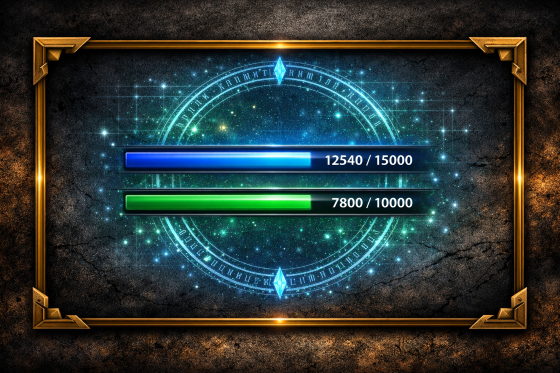
XP and reputation bars that actually tell you what you need.
- Enhanced XP and reputation bars.
- Shows rested XP even beyond the visible level.
- Movable via Atmos Edit Mode.
Always know exactly how far you are from your next level or reputation rank.

Atmos Core
The shared foundation that powers every module.
- Unified settings system for all Atmos modules.
- Edit Mode for positioning Atmos UI elements.
- Shared tools to keep everything lightweight and consistent.
Enable only the modules you want — Atmos Core keeps them all working together.